Security is a HOT topic. And any particular business landscape has its share of cyber security hot spots.
There are known areas at any organization where cybersecurity vulnerabilities exist, and it is incumbent on a business to do its due diligence and a trusted partner to advise on best practices. From email inboxes, unarmed web browsers, and certainly untrained end-users, we’re all tasked with identifying and extinguishing security hot spots.
What are a few of those Hot Spots? What do we do to protect our clients (and ourselves)?
It Starts with a Penetration Test.
As a new enhanced security offering through our IT Services team, Penetration Testing is a next-level Cyber Security Assessment engagement that essentially blows past hypothetical scenarios and actually shows you what can happen, with play-by-play details of how and why exploitation occurred.
Read more about Penetration Testing here.
Endpoint Security is essential for every device.
Endpoint security is the process of protecting devices like desktops, laptops, mobile phones, and tablets from malicious threats and cyberattacks. Endpoint security software enables businesses to protect devices that employees use for work purposes either on a network or in the cloud from cyber threats.
Our solution, Bitdefender Antivirus, works against all e-threats, from viruses, worms and Trojans, to ransomware, zero-day exploits, rootkits and spyware. Patsy Guess in Little Rock is tasked with helping clients who may have clicked on a suspect link by running scans on their computer and searching for exploits.
“It’s definitely a robust solution. We can actually isolate a computer and pull it off the network (while investigating it) but still have remote access to that PC,” Patsy said.
Multifactor Authentication (MFA) adds an extra layer of protection.
Multi-factor authentication is an electronic authentication method in which a user is granted access to a website or application only after successfully presenting two or more pieces of evidence to an authentication mechanism (like a smartphone).
IT Supervisor Richard Martin says MFA is not just a way to protect ourselves - it's an additional, crucial layer of security. Because so much of what we do as business people and as everyday consumers is web-based, this becomes a target for bad actors.
Most people who use these applications know that a person's username is generally your email address. Once they have that, they can send you a phishing email that, if you fall for, can capture your password and the necessary info to gain access to your account.
"When MFA comes into play, even if they do get your username and password when they go to log in, unless they have a way to receive that MFA request from your cell phone, they can't gain access," Richard said. "It is an extra layer to ensure that it's you attempting to gain access or log in to an account."
We can’t talk about end-user training enough.
Think your end users aren’t your biggest potential security vulnerability? Consider this stat: according to KnowBe4, only about 3% of malware tries to exploit an exclusively technical flaw. The other 97% instead target users through Social Engineering (manipulative tactics against humans to infiltrate networks and steal confidential information). In other words, bad actors aren’t just after your network. They’re after YOU.
Part of our new enhanced security offering is a training exercise that literally sends out fake phishing emails to a client’s employee base “testing” their readiness. Once the training campaign has ended, reporting is available and end-users who failed the “phishing” campaign can continue training.
“Knowledge is power,” says Technology Specialist Jennifer Edens. “The more users are aware of cybersecurity risks, the more they are prepared to prevent danger to the company or themselves.”
Datamax trains end-users on how to properly investigate email, but also educated on specific, targeted attacks like spear-phishing and social engineering, which often base their attacks on individuals’ information collected on social media.
“We like to recommend that you exclude personal information when you are creating a password,” Jennifer said. “Things like what’s your favorite color? What’s your pet’s name? This info can be collected online and used against you by bad actors.”
Faith Oliver, Project Specialist for TSG, prepares Partnership Reviews and actually administers the phishing campaigns that are sent out to clients. Faith says that the more she’s worked within this role, the more she’s learned that “you can never be secure enough.” She has seen firsthand that socially engineered attacks are dramatically reduced by end-user training, specifically email-based reinforcement training. Her advice, to clients and to coworkers?
“Remember to slow down in your day-to-day business activities. Investigate an email closely before taking any action. If you hover over a link with your mouse (don't click!) you can get a good indication of where that link is about to take you. If it doesn't sound familiar, it could be malicious,” she says.
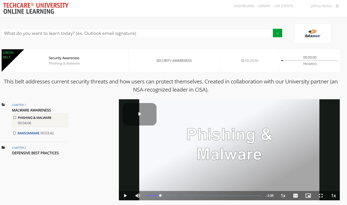
Ready to take your training in your own Hands??? Click the image below to get started with TechCare University and cybersecurity training!
-
What is TechCare University? Learn more here.
-
Have trouble getting logged in? Reach out to Tamara Hargrove (thargrove@datamaxinc.com) or Faith Oliver (foliver@datamaxinc.com) to set up YOUR account.